Creating a functional and inviting home workspace is essential for anyone working remotely or managing tasks at home. A clutter-free and well-organized workspace not only improves focus but also reduces stress and increases productivity. If you’re struggling to keep your home office tidy or want to upgrade your current setup, these tips will help you create a productive environment that works best for you.
Why Organize Your Home Workspace?
An organized workspace fosters a clear mind. When everything has a place and clutter is minimized, it’s easier to stay on task and avoid distractions. Whether you have a dedicated office room or just a corner in your living area, organizing your space can create both physical and mental clarity.
Tips for Decluttering Your Home Workspace
1. Start with a Clean Slate
Before bringing in your work essentials, clear off your desk completely. Wipe it down to remove dust and grime. This fresh start helps you envision how to organize your space efficiently.
2. Sort and Prioritize
Go through all your supplies, paperwork, and electronics. Decide what you really need daily, what can be stored elsewhere, and what you can discard or digitize. Keep only the essentials within arm’s reach.
3. Use Storage Solutions
Invest in drawer organizers, filing cabinets, shelves, or storage boxes. Label everything clearly so you can quickly find what you need. Vertical storage can help maximize space in smaller rooms.
Setting Up Your Workspace for Productivity
1. Choose the Right Location
Pick a spot with good natural light if possible. A quiet corner away from high-traffic areas helps minimize interruptions. Make sure you have enough room to move comfortably.
2. Optimize Desk Layout
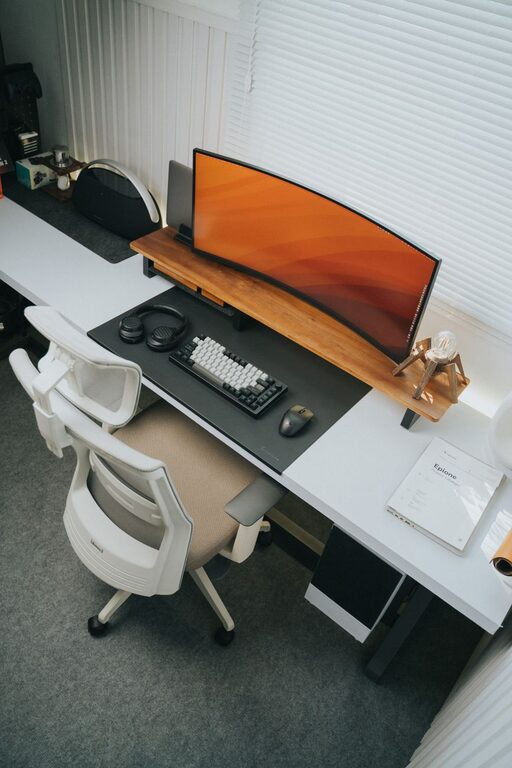
Arrange your most used items within easy reach to avoid wasting time searching. Keep your desk surface mostly clear to allow space for writing or reviewing documents.
3. Comfortable Furniture Matters
Select a supportive chair and appropriate desk height. Your comfort influences how long and effectively you can work without strain.
4. Manage Cables and Electronics
Use cable clips or sleeves to keep cords tidy and prevent tangling. Charging stations can help organize devices and keep your desk clutter-free.
Establishing Habits for a Clutter-Free Workspace
1. Daily Tidy-Up
Spend 5 minutes at the end of each day putting things back in place. This habit prevents clutter from piling up and maintains your organized setup.
2. Limit Personal Items
While a few personal touches make your workspace inviting, avoid overcrowding it. Keep decorations minimal and meaningful.
3. Digitize Paperwork
Whenever possible, scan documents to reduce physical clutter. Use cloud storage to organize files and keep your desktop clear.
Additional Tips for Enhancing Productivity
1. Good Lighting
If natural light is limited, invest in a quality desk lamp with adjustable brightness. Proper lighting reduces eye strain and helps maintain focus.
2. Incorporate Greenery
Adding a small plant can improve air quality and add a calming element to your workspace.
3. Use Noise Control
If your space is noisy, consider noise-canceling headphones or a white noise machine to maintain concentration.
—
Organizing your home workspace is a continuous process. By keeping your area tidy, functional, and personalized to your needs, you’ll create an environment conducive to better work habits and greater productivity. Start small, stay consistent, and enjoy the positive impact of a clutter-free workspace in your daily life.
About the Author